A website brief should make decisions easier. It tells the developer what the site needs to accomplish, what content exists, and which constraints matter. It does not need to prescribe every layout or technology. A useful brief gives enough context to discuss scope and judge whether the finished experience supports the intended audience.
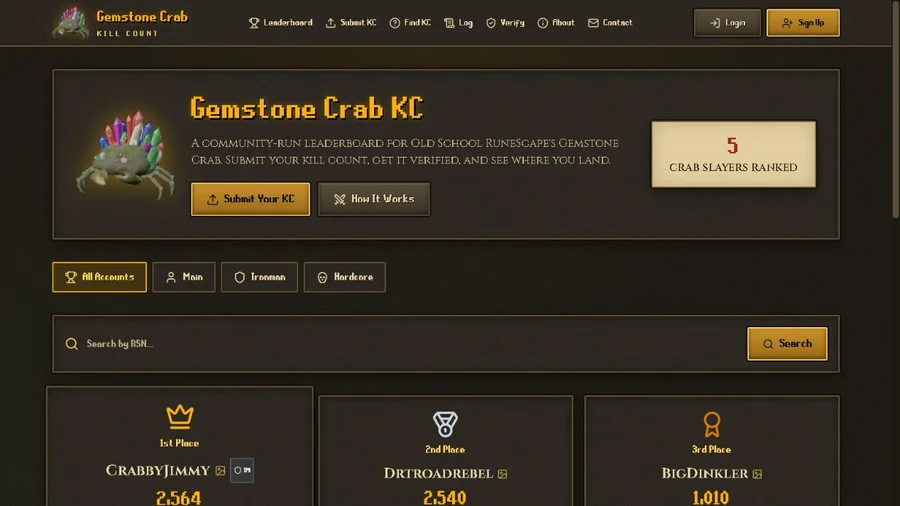
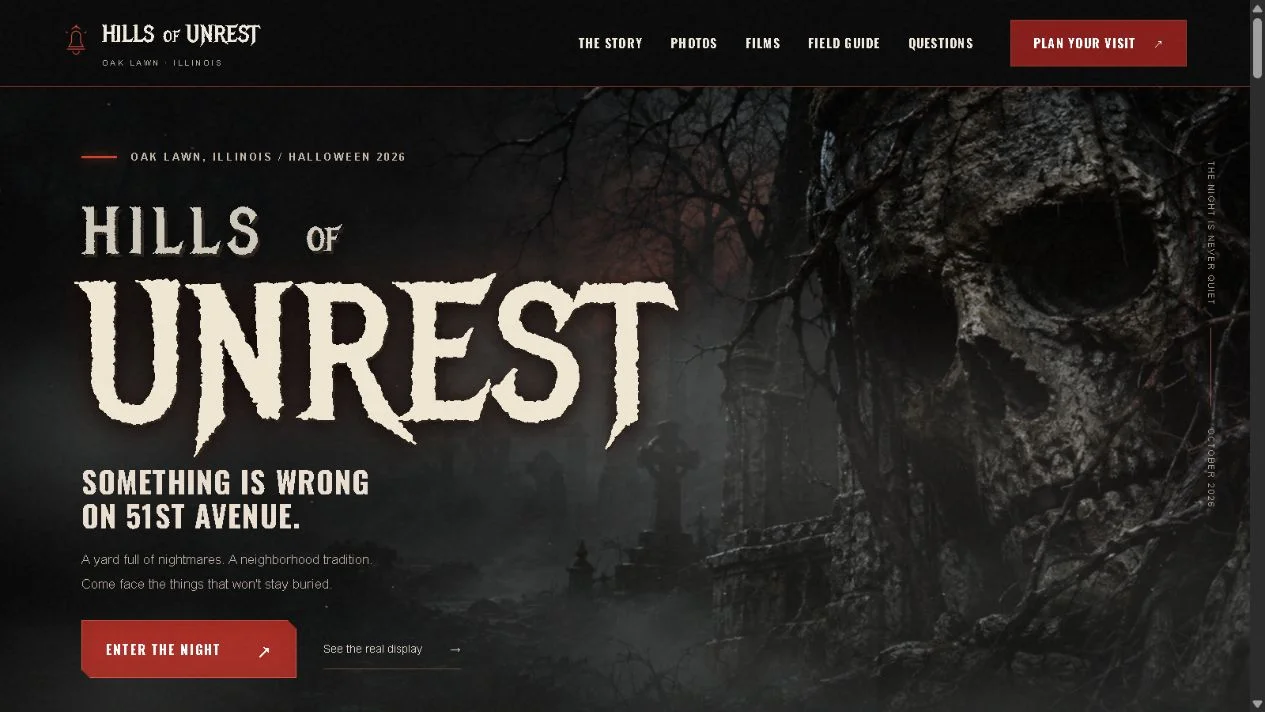
Dinks Gaming’s website and automation services cover custom web projects with different purposes, including a gaming leaderboard, an event site, and a professional directory. This guide helps someone prepare for that kind of project conversation. It is not a claim that every project requires the same process or a fixed package.
Describe the action the site should support
Begin with what a visitor should be able to do. Find a provider, submit a community record, plan a visit, or understand a game before trying it are specific actions. A broad goal such as “look professional” matters visually but does not define the whole experience.
Choose a primary action and a few supporting ones. If every action is equally important, the developer cannot create a useful hierarchy. Explain which decision most directly supports the project’s purpose.
Include the current problem. Visitors may not understand the offer, a manual submission process may consume time, or information may be scattered across profiles. The problem helps distinguish necessary functionality from attractive additions. The brief should explain why the project exists before asking for a particular effect or page count.
Identify the real audiences
Describe the people expected to use the site and what they already know. A returning community member differs from someone discovering an event for the first time. A potential client differs from a player looking for a store link.
Use practical situations rather than invented demographic detail. Someone checking visit information on a phone or submitting evidence after a game session provides useful design context. Exact ages or personas are not necessary unless real audience evidence makes them relevant.
Portfolio information architecture explains how several audiences can share a site. The brief should reveal those audiences early so the layout and navigation support their separate journeys. A clear account of visitor needs is more useful than a collection of unrelated websites to imitate.
Gather authentic content and assets
List what is available: logo, photographs, screenshots, project descriptions, existing copy, videos, and official links. Mark what needs to be created or confirmed. Content gaps affect both scope and design, especially when the site depends on real imagery.
Provide source files where appropriate and identify the intended public versions. A developer can prepare optimized assets, but needs to know which image accurately represents the project. Avoid assuming a generic illustration can stand in for an actual game screenshot or event photograph.
Confirm factual details before they enter the page. Names, release status, locations, and contact routes need a reliable owner. Game landing page content shows how missing release information changes the call to action. A brief should make those uncertainties visible instead of encouraging the developer to fill them with guesses.
Explain what the site must connect to
List integrations by purpose: email delivery, a submission database, analytics, a booking destination, or another existing tool. Include what already works and what needs setup. The developer can then identify the handoffs that belong in scope.
Distinguish an external link from a true integration. Linking to a store is different from synchronizing records with another service. A form that opens an email draft is different from a server that sends a notification. These differences affect implementation and verification.
Contact form routing explains one common example. Public email forwarding and website form delivery are separate paths that both need checking. A brief should identify the desired destination and reply behavior without placing private credentials in ordinary documents or public source code.
Define the visual direction through examples
Describe what appeals to you about a reference: large real imagery, restrained typography, playful interaction, cinematic transitions, or a particular color relationship. A reference is more useful when the reason is explicit.
Explain what the identity should communicate. A game studio may benefit from dramatic scenes, while a focused directory may prioritize quick search. The same visual treatment does not automatically suit every visitor task.
Include motion expectations and accessibility needs. Animated website performance and reduced-motion design show why movement belongs in planning rather than being added without limits at the end. A brief can ask for excitement while still requiring readable content and dependable controls.
Agree on observable completion criteria
Describe what should work when the project is ready. A visitor can find the intended page, complete the form, receive a clear result, and use the site on a smaller screen. The exact criteria should match the project, but they need to be testable.
Include publishing responsibilities. Domain ownership, DNS, hosting, email, analytics, and search verification can involve different accounts. The brief should say which connections are expected and who can provide access when necessary.
Avoid using only subjective completion language. “Amazing” can describe the desired ambition, but cannot verify a delivery path. Pair visual goals with concrete tasks. That gives both the client and developer a fair way to discuss revisions without treating every new idea as an undefined requirement.
Set priorities and constraints honestly
Identify what must be included for launch and what could follow later. A focused first version can establish a useful experience while preserving room for growth. An unlimited feature list makes timing and cost harder to discuss.
State relevant constraints such as an event date, an existing account, or the need to maintain content without developer help. Do not invent a deadline merely to make the brief seem complete; explain what actually drives the timing.
Scope planning for solo projects offers a related method: count dependencies, not only features. A small automation can involve several services and failure states. A large visual section may use mostly existing content. Priorities become more useful when the underlying work is visible.
Bring questions to the first conversation
A brief can include uncertainties. You might know the audience and action but not the best navigation or tool. Naming the uncertainty gives the developer a useful question to investigate. It is better than choosing technology solely because it appears on another website.
Prepare a short example of the intended journey from arrival to outcome. For a leaderboard, that may be discovering the rules, preparing evidence, submitting, and seeing a review state. For an event, it may be viewing real images and finding current visit guidance. The example exposes missing content and handoffs.
You can bring that outline to Dinks Gaming’s contact page. A good brief does not replace collaboration. It gives the conversation a shared starting point, makes practical tradeoffs visible, and helps the finished website serve a clear purpose rather than merely contain a collection of pages.
A short brief you can start with
Write five sentences: who the site serves, what they should do, what currently makes that difficult, what content you already have, and what outcome would make the first version useful. Add the official domain and any existing tools that need to connect.
Then list unresolved questions separately. You might need help choosing a navigation structure or deciding whether an automation is worthwhile. This format gives the first conversation enough substance without requiring a technical specification. It also makes assumptions visible before they become design decisions. As the project develops, those sentences can become more precise and the open questions can become agreed choices rather than remaining hidden in an expanding feature list.